How to never miss an action item from your meetings
Feb 6, 2026
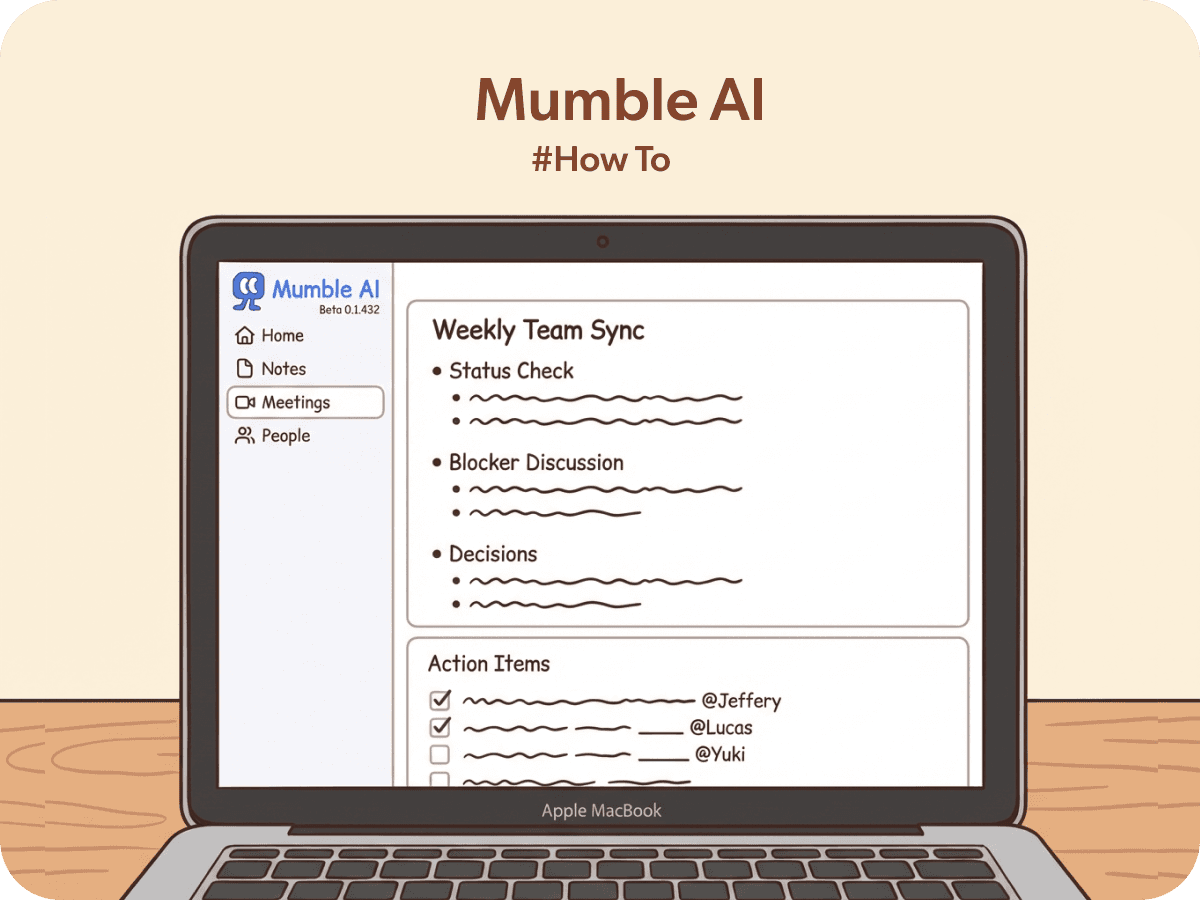
Your meeting ended 20 minutes ago. You're already in the next one. Somewhere between "let's circle back on that" and "I'll send it over by Friday," three action items just disappeared into thin air.
Sound familiar? You're not alone. Studies show that nearly half of all meeting action items never get completed — not because people don't care, but because the moment a meeting ends, the next one starts. There's no breathing room. No time to organize. No time to write things down properly.
The problem isn't your memory. It's your workflow.
By working with many professionals during our beta, we've noticed a pattern. The people who never drop action items aren't more organized by nature. They just have a system that catches everything before it slips away.
Here are five habits that help.
1. Stop trying to take perfect notes during the meeting
This is the biggest trap. You're in a conversation, someone says something important, and you immediately switch from listening mode to writing mode. You start typing furiously, trying to capture the exact words — and by the time you look up, you've missed the next two minutes of discussion.
The better approach: jot down just enough to remind yourself later. A few words. A name. A deadline. That's it.
Think of your in-meeting notes as breadcrumbs, not a transcript. Your job during the meeting is to be present. Let the notes be messy.
How Mumble helps: Mumble AI records your meeting audio automatically when you join a call. So instead of trying to write everything down, you can focus on the conversation and jot quick notes in the floating note panel. After the meeting, Mumble combines what you wrote with what it heard to create a full, structured summary — including the action items you might have missed while talking.
2. Capture action items the moment they're spoken
Action items have a half-life of about 30 seconds. The moment someone says "I'll have the proposal ready by Thursday," your brain registers it. But five minutes later, after three more topics have been discussed, the details start to blur. Was it Thursday or Friday? The proposal or the budget?
The fix is simple: flag action items in real time. You don't need to write them out perfectly — just mark them so you can find them later.
Some people use a shorthand in their notes, like starting a line with "→" or "AI:" (for action item, not artificial intelligence). Others rely on their meeting tool to extract them automatically.
How Mumble helps: After your meeting ends, open AI Chat and ask Mumble something like: "What are all the action items from this meeting?" or "List everything anyone committed to doing." Mumble reads both your handwritten notes and the AI-generated summary to pull out every commitment — including the ones you didn't write down.
3. Process your notes within 10 minutes of the meeting ending
This is the golden window. Within 10 minutes, your short-term memory still holds the context, the tone, and the subtext of the conversation. You know what "let's revisit the timeline" actually meant. You remember that when Sarah said "I'll look into it," she was being polite, not committing to a task.
After an hour? That nuance is gone. After a day? You're reading your own notes like a stranger wrote them.
The fastest way to process: scan your notes, extract the action items, and put them wherever your tasks live — your to-do list, project board, or even just a follow-up email. The medium doesn't matter. What matters is that the action items leave your notes and enter your workflow.
How Mumble helps: Mumble generates your structured meeting summary within seconds of the call ending. No waiting. You can immediately review it, ask AI Chat to reformat the action items for a Slack message or follow-up email, and move on to your next meeting with everything captured.
4. Send a follow-up before you forget
Here's a counterintuitive truth: the follow-up email isn't just for other people. It's for you.
When you write a quick message saying "Hey team, here's what we agreed on," you're doing two things: (1) creating accountability for everyone, and (2) giving your future self a reference point. Next week, when someone asks "did we decide to go with Option A or B?", you'll have the answer in your sent folder.
The best follow-ups are short. Three to five bullet points. Who's doing what, by when. That's all anyone needs.
How Mumble helps: Open AI Draft after your meeting and say something like: "Draft a follow-up email with the key decisions and action items." Mumble will generate a clean, ready-to-send summary based on the full conversation — not just what you remembered to write down.
5. Record everything, even the calls you think don't matter
The meetings where action items get lost most often aren't the big, formal ones. Those usually have agendas and minute-takers. The dangerous ones are the quick syncs, the "let's hop on a call for 5 minutes" chats, the impromptu Slack huddles.
These casual conversations are where decisions get made and commitments get spoken — but rarely written down. Two days later, you and your colleague have completely different memories of what was agreed.
The solution: make recording your default, not your exception.
How Mumble helps: Mumble sends you a reminder one minute before each meeting on your calendar, or detects when your meeting starts and starts recording automatically. There's no setup, no window switch, no "should I record this one?" decision to make. Every call gets captured and every action item has a source of truth you can go back to.
The real problem isn't forgetting. It's friction
Every step between hearing an action item and actually tracking it takes time we don't have between back-to-back meetings. That's why we built Mumble AI to remove the friction.
Auto-record. Auto-summarize. Then use AI Chat to extract exactly what you need: action items, follow-up emails, key decisions. All in seconds, not minutes.
The best system for tracking action items is the one that works even when you're too busy to think about it.
Features that help you stay on top of action items
Auto Recording. Get notified one minute before your meeting. One click to join and start recording — no setup needed.
AI Summary. Structured meeting notes generated automatically the moment your call ends.
AI Chat. Ask Mumble to extract action items, draft follow-up emails, or summarize decisions in any format you need.